📌 Introduction
આજના ડિજિટલ યુગમાં, આપણે ઘણી બાબતો માટે આધાર કાર્ડ (Aadhaar) નો ઉપયોગ કરીએ છીએ — બેંક એકાઉન્ટ ખોલવું હોય, SIM કાર્ડ લેવું હોય કે સરકારી યોજનાઓનો લાભ લેવો હોય. પરંતુ જેટલું Aadhaar મહત્વપૂર્ણ છે, એટલું જ તેની સુરક્ષા પણ મહત્વની છે. ઘણી વખત આપણે સાંભળીએ છીએ કે કોઈની Aadhaar માહિતીનો દુરુપયોગ થયો છે. આથી લોકોમાં એક ડર ઉભો થાય છે — “શું મારી માહિતી સુરક્ષિત છે?”
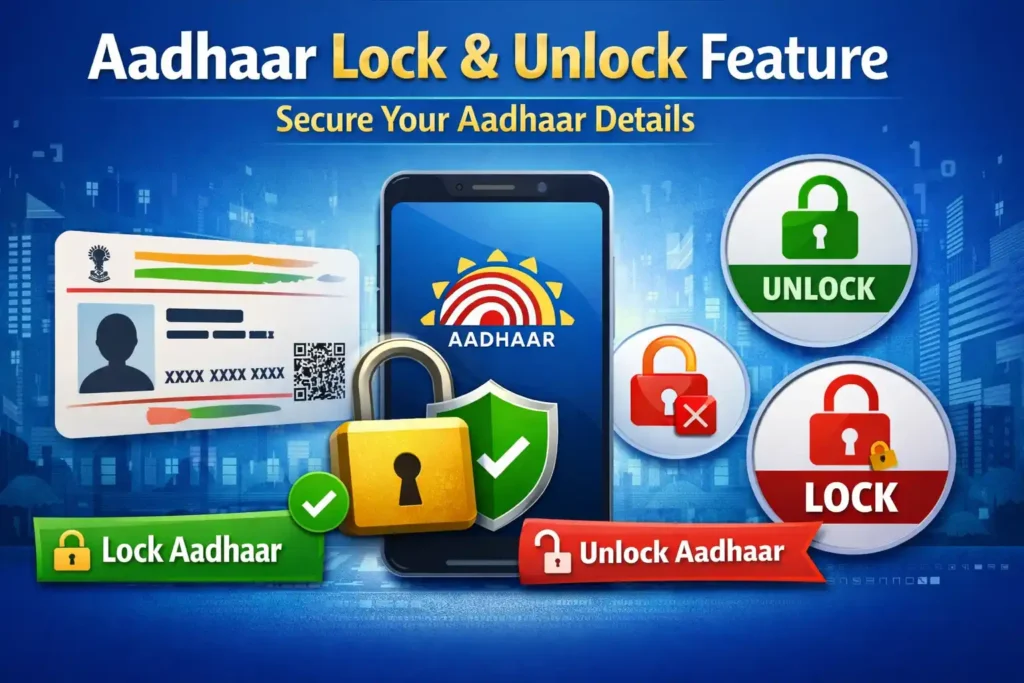
આ જ સમસ્યાનું સોલ્યુશન આપવા માટે UIDAI એ “Aadhaar Lock & Unlock Feature” રજૂ કર્યું છે. આ ફીચર દ્વારા તમે તમારા Aadhaar ને તાત્કાલિક લોક કરી શકો છો, જેથી કોઈ પણ વ્યક્તિ તમારી મંજૂરી વગર તેનો ઉપયોગ ન કરી શકે.
આ લેખમાં આપણે સરળ ગુજરાતી ભાષામાં સમજશું કે આ ફીચર શું છે, કેવી રીતે કામ કરે છે, તેનો ઉપયોગ કેવી રીતે કરવો અને તે કેમ એટલું જરૂરી છે.
🧾 Aadhaar Lock & Unlock Feature શું છે?
Aadhaar Lock & Unlock Feature એ એક સુરક્ષા સુવિધા છે, જે તમને તમારા Aadhaar નંબરના બાયોમેટ્રિક ડેટાને લોક કરવાની મંજૂરી આપે છે. આનો અર્થ એ છે કે તમારી Fingerprint અને Iris માહિતી કોઈપણ authentication માટે ઉપયોગમાં લઈ શકાય નહીં, જ્યાં સુધી તમે તેને ફરીથી unlock ન કરો.
સામાન્ય રીતે, જ્યારે આપણે કોઈ service માટે Aadhaar આપીએ છીએ, ત્યારે biometric authentication થાય છે. જો તમારો Aadhaar lock છે, તો કોઈ પણ વ્યક્તિ તમારી માહિતીનો ઉપયોગ કરી શકશે નહીં — ભલે તેની પાસે તમારો Aadhaar નંબર હોય.
આ feature ખાસ કરીને ત્યારે ઉપયોગી છે જ્યારે:
- તમને લાગે કે તમારી માહિતી કોઈના હાથમાં પડી ગઈ છે
- તમે લાંબા સમય સુધી Aadhaar નો ઉપયોગ નહીં કરતા હો
- તમે online fraud થી બચવા માંગો છો
આ feature તમને સંપૂર્ણ control આપે છે — જ્યારે જરૂર હોય ત્યારે unlock કરો અને કામ પૂરૂં થયા પછી ફરી lock કરો.
📲 Step-by-Step Guide: Aadhaar Lock & Unlock કેવી રીતે કરવું?
🔒 Aadhaar Lock કરવાની પ્રક્રિયા:
- UIDAI ની official website પર જાઓ
- “My Aadhaar” section માં જાઓ
- “Aadhaar Services” માં “Lock/Unlock Biometrics” option પસંદ કરો
- તમારો Aadhaar નંબર દાખલ કરો
- Captcha code નાખો
- OTP માટે “Send OTP” પર ક્લિક કરો
- OTP દાખલ કરો
- “Enable Biometric Locking” પસંદ કરો
- Confirm કરો
👉 હવે તમારું Aadhaar successfully lock થઈ જશે
🔓 Aadhaar Unlock કરવાની પ્રક્રિયા:
- ફરીથી UIDAI website પર જાઓ
- “Lock/Unlock Biometrics” option ખોલો
- Aadhaar નંબર દાખલ કરો
- OTP verify કરો
- “Disable Biometric Locking” પસંદ કરો
- Confirm કરો
👉 હવે તમારું Aadhaar unlock થઈ જશે
Lock Aadhaar Using mAadhaar App
- Download the mAadhaar app
- Log in using your registered mobile number
- Open the Services section
- Tap Aadhaar Lock/Unlock
- Select Lock Aadhaar and confirm
Your Aadhaar will be locked instantly.
📱 mAadhaar App દ્વારા:
તમે mAadhaar એપ દ્વારા પણ આ કામ કરી શકો છો:
- App open કરો
- Aadhaar profile add કરો
- “Biometric Lock” option પસંદ કરો
- Lock / Unlock કરો
✅ Aadhaar Lock & Unlock Feature ના ફાયદા
1. 🔐 વધારે સુરક્ષા
આ feature તમારા Aadhaar ને unauthorized access થી બચાવે છે. કોઈ તમારી fingerprint નો misuse નહીં કરી શકે.
2. 📊 સંપૂર્ણ control
તમે decide કરો કે ક્યારે તમારું Aadhaar active રાખવું અને ક્યારે lock કરવું.
3. 💳 Financial safety
Bank fraud અને identity theft થી બચવા માટે આ feature ખુબ મદદરૂપ છે.
4. 🌐 Online safety
Digital India ના સમયમાં online fraud વધી રહ્યા છે. આ feature તમને extra protection આપે છે.
5. 👨👩👧👦 Family safety
તમે તમારા family members ના Aadhaar પણ સુરક્ષિત રાખી શકો છો.
⚠️ Disadvantages અને Important Tips
❌ 1. વારંવાર Unlock કરવું પડે
જો તમે frequently Aadhaar use કરો છો, તો વારંવાર unlock કરવું પડે — જે થોડી મુશ્કેલીભર્યું લાગે.
❌ 2. OTP પર dependency
Unlock કરવા માટે OTP જરૂરી છે. જો mobile number link નથી તો problem થઈ શકે.
❌ 3. Emergency માં delay
ક્યારેક urgent કામમાં unlock કરવાનું ભૂલી જાઓ તો delay થઈ શકે.
⚠️ Important Tips:
- હંમેશા Aadhaar સાથે registered mobile number active રાખો
- OTP કોઈ સાથે share ન કરો
- Public Wi-Fi પર Aadhaar access ન કરો
- કામ પૂરૂં થયા પછી ફરી lock કરવાનું ભૂલશો નહીં
📖 Real-Life Example / Case Study
ચાલો એક simple example લઈએ 👇
રવિ નામનો એક વ્યક્તિ Ahmedabad માં રહે છે. તેણે online loan માટે apply કર્યું. તે દરમ્યાન તેણે પોતાની Aadhaar details share કરી. થોડા દિવસો પછી તેને ખબર પડી કે કોઈએ તેની માહિતીનો ઉપયોગ કરીને fraud attempt કર્યો હતો.
આ પછી તેણે તરત જ Aadhaar Lock Feature activate કર્યું. હવે જ્યારે પણ તેને Aadhaar use કરવો હોય, તે temporary unlock કરે છે અને પછી ફરી lock કરી દે છે.
👉 પરિણામ:
- Fraud attempts બંધ થઈ ગયા
- તેને મનની શાંતિ મળી
- તેની financial safety વધારી
આ example બતાવે છે કે આ feature કેટલું useful છે.
❓ FAQ (Frequently Asked Questions)
1. Aadhaar Lock Feature શું છે?
તે એક security feature છે જે biometric data ને lock કરે છે.
2. શું Aadhaar Lock કરવાથી OTP authentication બંધ થઈ જાય છે?
ના, OTP authentication ચાલુ રહે છે.
3. Lock કર્યા પછી શું Aadhaar use કરી શકું?
Biometric authentication નહીં, પરંતુ OTP based services ઉપયોગ કરી શકો.
4. શું આ feature free છે?
હા, આ feature સંપૂર્ણ free છે.
5. Unlock કર્યા પછી ફરી lock કરવું પડે?
હા, manually lock કરવું પડે.
6. Mobile number link ન હોય તો શું કરવું?
પહેલાં Aadhaar સાથે mobile number link કરાવો.
Read Also:
🏁 Conclusion
Aadhaar Lock & Unlock Feature આજના સમયમાં એક અત્યંત જરૂરી સુરક્ષા સાધન છે. જ્યાં એક તરફ digital services આપણું જીવન સરળ બનાવે છે, ત્યાં બીજી તરફ cyber fraud નો ખતરો પણ વધે છે. આ સ્થિતિમાં, આ feature તમને એક extra layer of protection આપે છે.
જો તમે હજી સુધી આ feature નો ઉપયોગ નથી કરતા, તો આજે જ શરૂ કરો. થોડો સમય કાઢીને તમારું Aadhaar lock કરો અને તમારી personal information ને સુરક્ષિત બનાવો.
👉 યાદ રાખો:
“સાવચેત રહેવું એ જ સૌથી મોટી સુરક્ષા છે.”
જો તમને આ માહિતી ઉપયોગી લાગી હોય, તો આ લેખને share કરો અને બીજા લોકોને પણ aware બનાવો 👍